
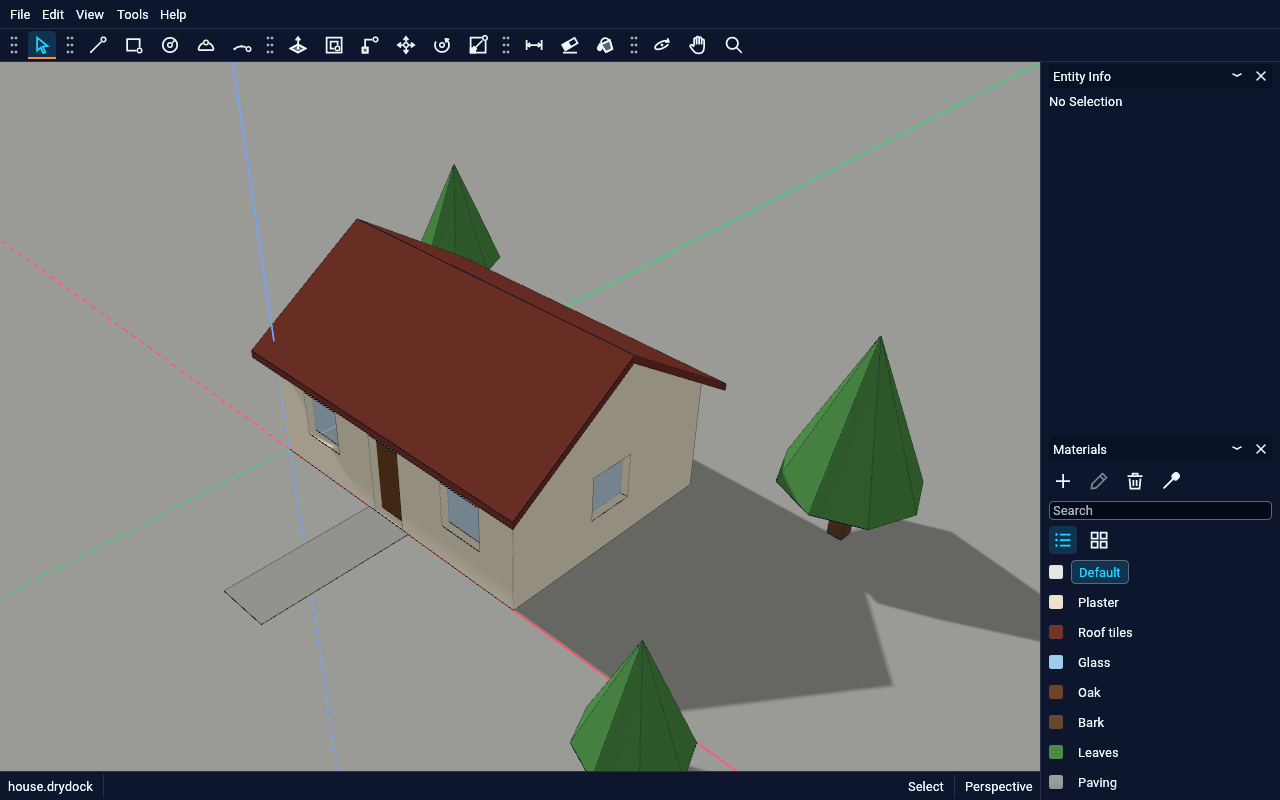
A free desktop 3D modeler for buildings, rooms, furniture, products and anything else you can draw. Sketch flat shapes and pull them into solids, like drawing on paper with depth.
What It Does
Drawing
Lines, rectangles, circles and arcs with inference snapping and typed dimensions.
Modeling
Push/pull, Move, Rotate, Scale, Flip, Follow Me and Offset. Groups, reusable components, and tags to show and hide parts of a model.
3D Printing
Check that a model is a printable solid, repair it, and export STL or 3MF.
Materials
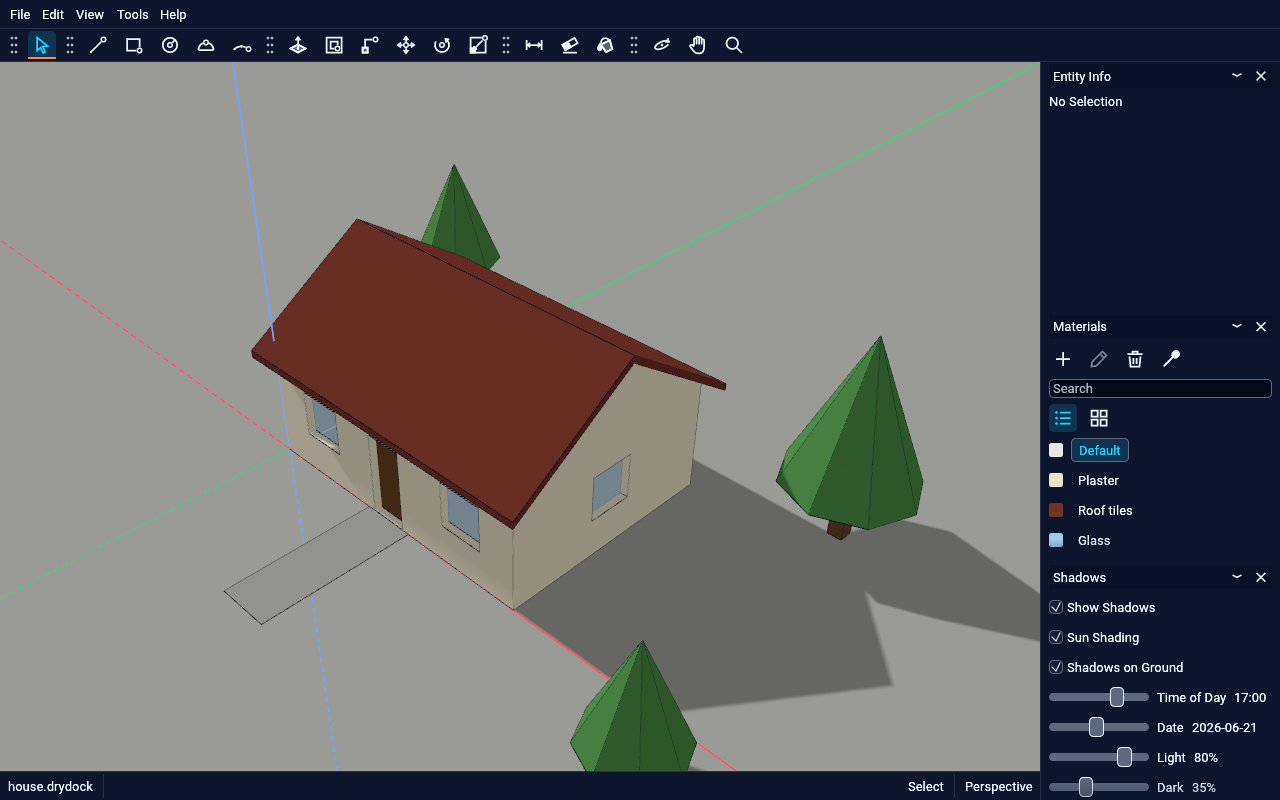
Paint colors and textures onto faces.
Sun & Shadows
Set a location, date and time and watch the shadows move.
Open Files
A documented native .drydock format. Imports COLLADA (DAE), STL and 3MF.
Free, and Yours to Keep
Drydock is free software under the GNU General Public License (version 3 or later). There's no subscription and no account, and it works offline. Your models are saved in an open, documented format.
It's written from scratch in Rust and contains no code or artwork from other 3D modelers.
If Drydock is useful to you, you can support its development through GitHub Sponsors.
Sponsor Drydock ♥Download
Get the latest version from the releases page on GitHub. Drydock is beta software: the features work and are tested, but expect rough edges and keep copies of models you care about.
Windows
Run drydock-X.Y.Z-setup.exe. The installed program finds, verifies and installs new
releases itself.
The installer isn't code-signed yet, so Windows SmartScreen may warn you. The install notes explain how to check the download.
Get the Installer ⇗Linux
Unpack drydock-X.Y.Z-linux-x86_64.tar.gz and run ./drydock, or build it from
source with Cargo.
Needs a working Vulkan driver. The README lists build dependencies.
Get the Archive ⇗Each release lists SHA-256 checksums in SHA256SUMS. A user guide ships
with the program (Help > User Guide, or F1).
How It Was Built
Drydock was built mostly by AI agents, directed by a person. An orchestrating agent wrote specifications and acceptance tests, worker agents implemented them, and every change passed formatting, lint, tests, a license gate and a snippet scan before it merged. A person at Subspace Systems set the direction, tried each milestone in the real program, and accepted it. The commit history shows the whole process.
Found a bug or have an idea? Open an issue. Contributions are welcome under a Contributor License Agreement.
Questions about Drydock, or interested in using it at your firm?
Contact Us ⇗